Your daily sales report, ready before the morning meeting.

HotelOps AI reads your Opera and Micros night-audit reports, checks every total, and publishes the daily sales report, the group and owner workbooks and a live dashboard. No retyping, no copy-paste.

How it works

Three files in. A checked report out.

The night audit already produces everything the finance team needs. HotelOps AI does the hour of copying, adding up and cross-checking that usually follows.

1

Drop in the night audit

Upload the Opera Manager Flash, Trial Balance and Micros Cover Statement, or let the hotel's scheduled report emails land in its inbox folder.

2

Every total is checked

Rooms, food and beverage and outlet figures are matched across the three reports. If anything doesn't reconcile, or a day is missing, nothing is published and you see why.

3

Reports are ready

The dashboard and daily report update, month-to-date and year-to-date roll forward, and the group and owner workbooks are filled with their formulas left intact.

Daily report

The DSR, in the format your group already uses

Day, month-to-date and year-to-date, each against budget and last year, with the variance worked out for you.

  • Rooms, segments, food and beverage and every outlet
  • Download the group workbook, the Owner DSR or a CSV
  • Typed figures such as budgets go in through Manual Inputs, and are logged
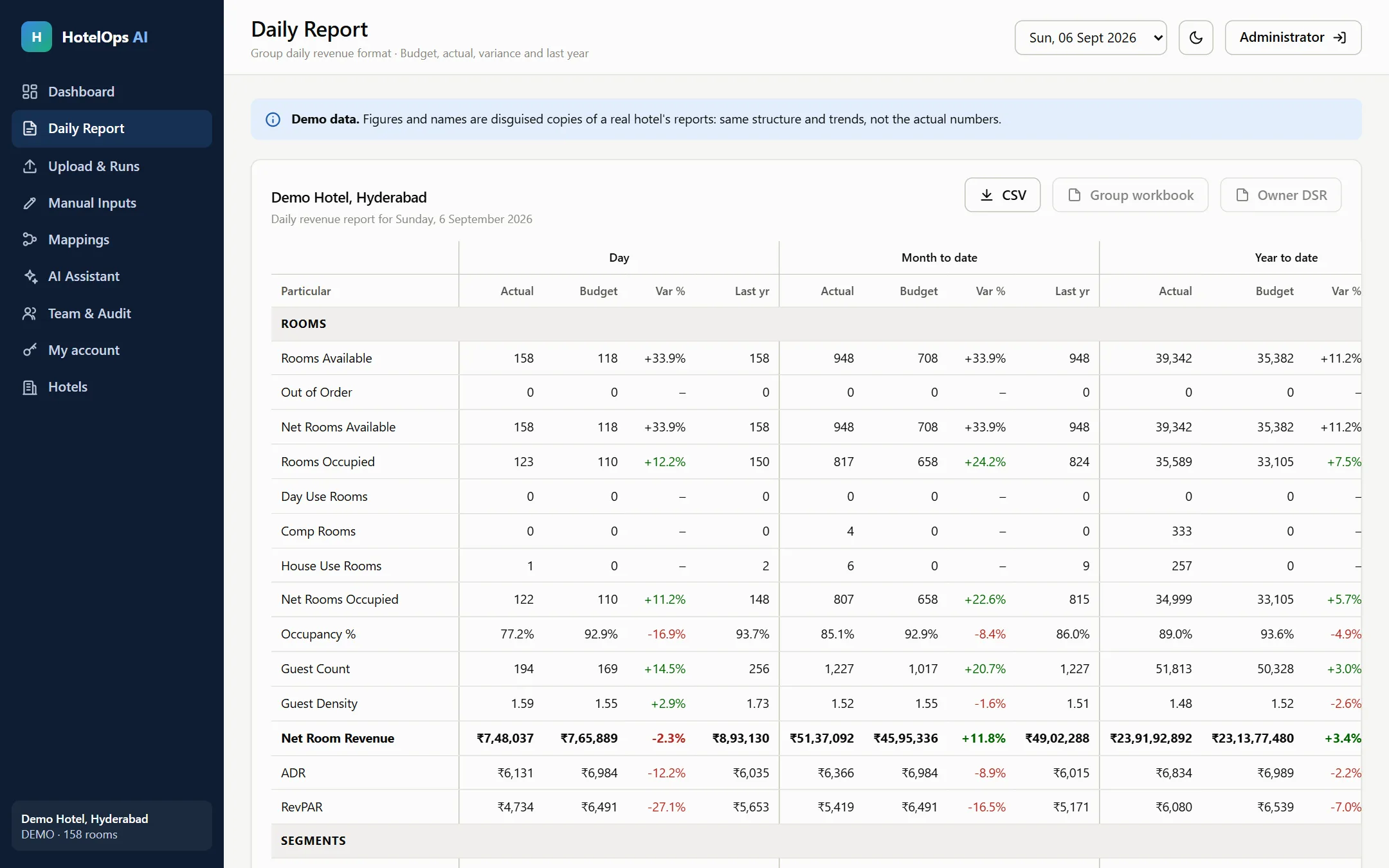
Daily report table with day, month-to-date and year-to-date figures against budget and last year
AI assistant

Ask about the numbers in plain English

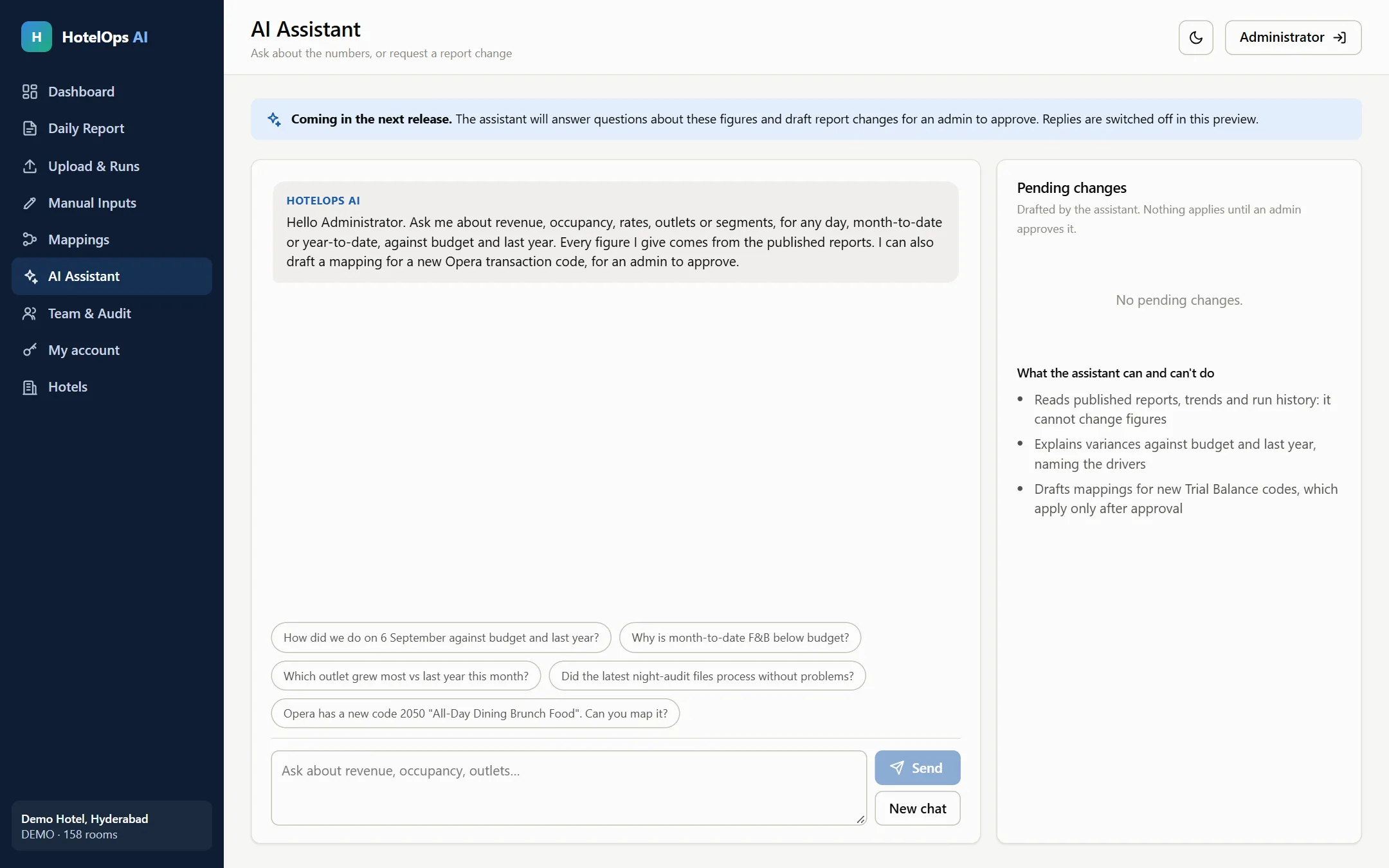
"Why is month-to-date F&B below budget?" The assistant answers from the published reports only, and names the outlets and days behind the change.

  • Explains variances against budget and last year
  • Can't change a figure. It reads, it doesn't edit
  • Drafts mappings for new Opera codes, for an admin to approve
AI assistant page with suggested questions and a list of pending changes waiting for approval
Mappings

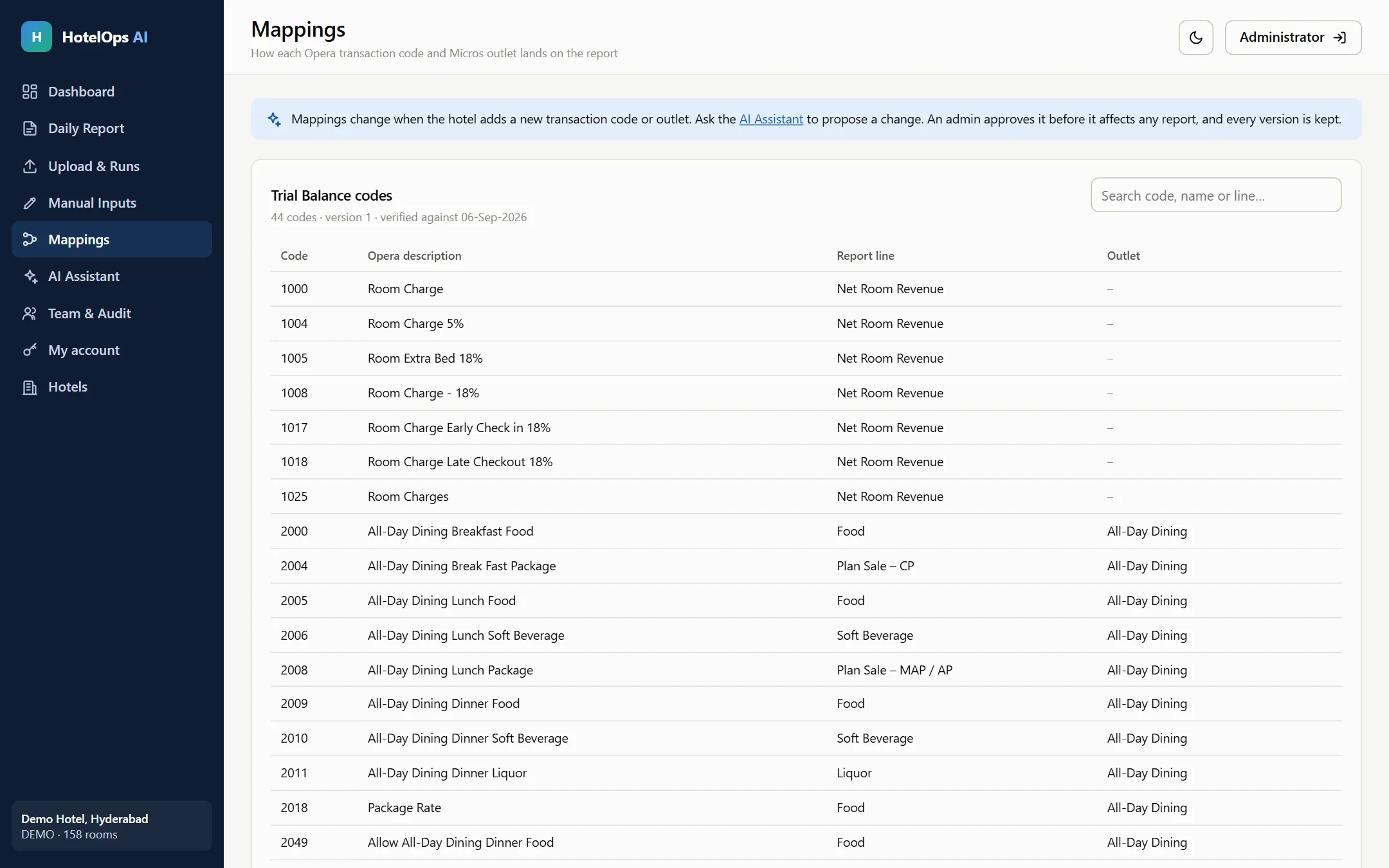
Your chart of accounts, kept under control

Each Opera transaction code and Micros outlet is mapped to a line on the report. When the hotel adds a new code, HotelOps AI stops and asks instead of guessing.

  • Every change needs an admin's approval
  • Every version is kept, so nothing is lost
Mappings table linking Opera transaction codes to report lines and outlets
Built for finance teams

Your hotel's figures stay your hotel's.

Each hotel works in its own private workspace. Only verified staff of that hotel can sign in, and everything they do is recorded.

A private workspaceEvery hotel's data, mappings and workbooks are kept apart. One hotel can never see another's.
Verified work emailsAdmins register with their hotel brand's email domain, and each new hotel is approved before it goes live.
Admins and viewersAdmins load days and approve changes. Viewers see the reports only.
A full audit trailEvery sign-in, upload, typed figure and approval is logged with who did it and when.

Spend the morning on the numbers, not on building them.

Sign in to your hotel's workspace.